
Contents
Contents
- Key terms and definitions
- 01Getting started with Claude: from chat assistant to workspace
- 02Prompting techniques for reliable output
- 03Business strategy, marketing and brand with Claude
- 04Sales and customer engagement: from prompts to an opportunity engine
- 05Automation, data and AI agents: build systems, not just prompts
GLOSSARY
Key terms and definitions
- Agentic Marketing
- A way of running marketing and sales in which AI does more than answer questions: it takes a goal, breaks it into steps, uses tools and reports back for a person to approve.
- Projects
- Claude workspaces that hold reference documents (Context) and their own guidance (Project Instructions), shared by every conversation in the project.
- Artifacts
- A separate pane beside the chat for showing, editing and versioning larger outputs such as long documents, tables and HTML pages.
- Claude Skills
- Reusable instructions (a SKILL.md file) for one specialized task, triggered automatically when a request matches the skill’s description.
- Claude Cowork
- Claude Desktop’s agentic capability for handling files and documents inside a designated working folder, always presenting a plan for the user to approve.
- Claude Code
- An agentic coding tool: it reads and edits project files, runs terminal commands, fixes errors over several steps and asks permission before important operations.
- RACE
- A prompt framework made of Role, Action, Context and Execute (the expected output).
- MCP (Model Context Protocol)
- An open protocol introduced by Anthropic for connecting AI to a company’s data and tools in a controlled way.
- ICP & JTBD
- The Ideal Customer Profile, and Jobs to Be Done theory — customers “hire” a product to get a specific job done.
- VERIFY Loop
- A five-step check before AI output informs a decision: visual check, evidence tracing, range validation, isolated testing and final confirmation.
CHAPTER 01
Getting started with Claude: from chat assistant to workspace
This chapter explains how to turn natural-language requests into output that is structured and reusable for business work such as drafting, planning and process automation — from what Claude actually is to building a workspace with Projects, Artifacts, Skills, Claude Design, Claude Cowork and Claude Code.
The basics need nothing more than a Claude account and a browser. Some advanced features require a paid plan (Pro, Max, Team, Enterprise), the Claude Desktop app or permission to connect services.
1.1What Claude is: learned knowledge, enabled tools and a conversational approach
- Learned knowledge: Claude is a large language model developed by Anthropic, trained on books, articles, source code, research and websites. It generates answers from patterns it has learned rather than by looking up a static database, and that knowledge has a cutoff date.
- Enabled tools: With web search, file integration or connectors switched on, Claude combines what it already knows with current, real-world data.
- Conversation, not search: Google needs short keywords and leaves you to piece things together from many links. Claude works like a knowledgeable colleague: it takes in rich context, asks clarifying questions, pushes back on weak ideas and refines over several rounds. The more detailed the context, the more accurate the answer.
Four core strengths
Documents & writing
- Read, summarize and compare 50-page reports, contracts and meeting notes
- Draft, restructure, and change tone and length
Reasoning & coding
- Analyze business problems with many variables
- Write code, find bugs and solve technical issues
1.2Setting up the workspace: Instructions, Projects, Artifacts and Skills
- Instructions for Claude: Account-wide guidance keeps every conversation in the same style — for example short answers, worked examples and a professional tone.
- Projects: Upload fixed documents (brand brief, product specs, internal guides) as Context and set Project Instructions for tone. You can tell Claude to use only the data in Context and flag missing details instead of filling them in.
- Artifacts: Larger outputs (long documents, web code, tables, landing pages) open in their own pane, can be edited in real time, and keep earlier versions.
- Claude Skills: Package a process (writing sales proposals, SEO analysis, weekly reports) into a reusable skill under
Customize | Skills. A skill only triggers when a request matches its purpose.
1.3Claude Design, Claude Cowork and Claude Code: three steps into agentic work
- Claude Design: Describe the headline, layout and palette to build a canvas for social posts, posters or landing pages, then keep refining in words (change the color scheme, drop in product shots, resize the headline).
- Claude Cowork: In Claude Desktop (macOS/Windows), works inside a designated folder to sort files, pull action items from meeting notes, summarize PDFs and build Excel/CSV sheets from invoices — always presenting a plan and waiting for approval before moving or renaming anything.
- Claude Code: Reads and edits project files, runs terminal commands, and finds and fixes errors over several steps. Three differences from chat: it works directly in the environment, it handles long multi-step tasks, and it always asks permission before changing or deleting important files. It is not just for developers — marketers and analysts use it to build automation scripts in plain language.
An 8-step technical troubleshooting process with Claude
Steps 1–2
Understand the problem
- 1.1Define the problem and context
- 1.2Identify the symptoms
Steps 3–4
Narrow it down
- 2.1Check the scope of impact (one account or many users)
- 2.2Review documentation and system status
Steps 5–6
Resolve
- 3.1Diagnose and test likely causes
- 3.2Escalate if needed
Steps 7–8
Close out
- 4.1Document the resolution
- 4.2Test again to confirm the issue is gone
| Tool | Role in the business | Environment |
|---|---|---|
| Projects | Hold fixed context and tone for a brand or product | Web · all plans |
| Artifacts | Show and refine larger outputs | Web · all plans |
| Claude Skills | Package standard processes as reusable skills | Customize | Skills |
| Claude Design | Prototype interfaces, banners and posters from prompts | All plans |
| Claude Cowork | Automate handling of local files and documents | Claude Desktop · paid plans |
| Claude Code | Agentic coding and automation scripts | Terminal |
CHAPTER 02
Prompting techniques for reliable output
Effective prompting is neither luck nor a “keyword skill”; it is a structured discipline. This chapter runs from how a model takes in text to the RACE framework, how to break tasks down, and how to verify the output.
2.1How a model “reads” text
- Tokens
- Context Window
- Embeddings
- Self-Attention
- Tokenization: Text is split into tokens (for example
intellectuality→intellect+ual+ity). Token limits set how much text goes in and out per turn, and what API use costs. - Context window: The conversation’s short-term working memory. As it nears its limit, early information can fade or a response can be cut off midway.
- Embeddings: Tokens become vectors, and related concepts sit close together (“coffee” is nearer “espresso” than “airplane”). So use precise terms such as “brand tone in digital communication” rather than “creativity in marketing”.
- Self-attention: Lets the model work out that “it” in “Andrey put that laptop on the table because it was heavy” means the laptop. Mixing too many tasks and styles in one prompt scatters that attention.
2.2The RACE framework: turning a question into a task script
AI cannot read the intent behind your words; it reads structure. A strong prompt works as a script, a set of structured instructions and a task architecture.
- 1
R — Role
Name a specific expert (CFO, UX copywriter, data analyst) so the AI draws on the right body of knowledge.
- 2
A — Action
Use a clear verb: analyze, summarize, generate, transform.
- 3
C — Context
Background, real data, the target audience and the constraints.
- 4
E — Execute
Output format (JSON, Markdown, table), tone, length and success criteria.
Role: Chief Strategy Officer. Action: Draft a short board memo. Context: Q2 store sales down 8% but online up 15%; competitors closing branches; target customers shifting younger, from 35–50 to 25–40. Execute: 3 paragraphs — situation summary, 3 strategic options, 1 recommendation with the metrics to track.
| Method | How it works | When to use it |
|---|---|---|
| Direct (zero-shot) | State the request directly, with no examples | When you need speed or a wide range of ideas; results can drift if the instruction is vague |
| Example-based (few-shot) | Give a few sample input–output pairs before the real question | When style and structure must be consistent; costs extra tokens |
2.3Breaking down complex tasks: self-ask, prompt chaining, tree of thoughts
- Self-ask: Split the main question into sub-questions, answer each, then combine. For “Why is revenue down when traffic is up?” → conversion fell from 3.2% to 1.8%, and average order value fell from $68 to $65.
- Prompt chaining: The output of one prompt becomes the input of the next — for a quarterly business review (QBR): summarize the figures → analyze the causes → write a one-page report.
- Tree of thoughts: Have the model explore several paths (content marketing, influencers, targeted ads), weigh their pros and cons, and only then recommend one.
2.4Refinement, verification and nine working rules
- Source of truth: Paste specs, price lists and brand guidelines into the conversation and instruct “use only the information below; do not make anything up”.
- Drafts and art direction: Instead of “make it better”, say “keep part A, change part B to C, leave the rest as is”.
- Success check: Build criteria into the prompt — under 12 words, includes the product name, never uses “innovative” — so Claude fixes its own output before returning it.
Set up
- Role
- Audience
- Format
Control
- Example
- Constraints
- Stages
- Source of truth
- Specific feedback
- Success check
CHAPTER 03
Business strategy, marketing and brand with Claude
This chapter brings four areas together: strategic research, multichannel marketing, visual creative work and the digital brand system. The aim is to turn open questions about markets, campaigns or identity into a consistent, reusable operating system.
3.1Research, strategic planning and decision-making
- The business as an open system: Products and internal processes are shaped by the market and customers, competitors and the economy, and global forces (technology, geopolitics, society).
- Managing uncertainty: Rather than trying to predict every event, model the options and prepare scenarios (scenario modeling).
- Time for strategy: Deliberately set aside quiet time to observe and form hypotheses, instead of being swept up in email, meetings and short-term KPIs.
- Asking the right questions: Are we in the right market? Are we making full use of our core capabilities?
Market and competitor research, and verification
- Turn on Research so Claude browses the web across many queries and pulls together market size, trends and competitors with cited sources.
- Analyze competitors step by step (weaknesses → positioning → how to differentiate) and export a research table with columns for name, product, target customer, strengths, weaknesses, pricing, positioning, differentiators and source link.
- Build a verification checklist and a library of trusted sources, and have Claude separate verified facts from assumptions.
- Use Claude to sort the backlog, set a 30-minute meeting agenda (framing → priority → risk & decision → next steps) and draft a six-part proposal: executive summary, situation, approach, outcomes, timeline & investment, why us / next steps.
3.2Digital marketing plans, content and advertising
- 1
Mission & USP
Draw the unique selling point out of real customer feedback.
- 2
SMART goals, personas & competitors
Personas with age, income, pain points and expectations; compare competitors’ traffic, time on site and bounce rate.
- 3
Organic content & media plan
Allocate a budget (say $5,000) across Meta, TikTok, YouTube, Google Search and Display, with forecast clicks, impressions, CTR, CPM and CPC.
- Evidence-based positioning: Put the competitor analysis and trend files into one session so Claude can propose a positioning statement and three product priorities that fill the market’s white space.
- A 30-day content calendar: Three pillars — education, community, conversion; each idea becomes a brief with a hook, caption, hashtags and a six-frame storyboard; templates A–F run from content pillars to a quarterly theme map.
- Blog & SEO clusters: A 1,200–1,500-word outline → review → write section by section; a tone scaffold
You are writing as [BRAND]. Tone: … Do: … Don't: …; build a pillar page and four supporting posts with internal links from a keyword CSV. - Landing pages: Write for scanning (purposeful bold, short sentences) and preview it instantly as an HTML artifact.
| Metric | Facebook Ads | Google Ads |
|---|---|---|
| Budget | $2,000 | $2,500 |
| Clicks | 2,500 | 6,000 |
| Conversions | 300 | 450 |
| CTR | 1.67% | 3.00% |
| Conversion rate | 12.00% | 7.50% |
| Cost per conversion | ~$6.67 | ~$5.56 |
The table is an illustration of how Claude sets two channels side by side to decide where to invest. In the same way, you can hand it funnel reports from Google Analytics and Meta Ads for actions that raise CTR and lower CPC/CPA, or ask for five ad variations built on different motivations (direct value, problem–solution, urgency, emotion).
3.3Visual creative work and the digital brand system
- Brainstorm: Claude
- Generate: Midjourney / Firefly
- Prototype: Figma
- Refine: AI tools
| Visual prompt component | What to describe | Example |
|---|---|---|
| Subject | The main subject and its details | A 40-year-old businesswoman in a navy blazer |
| Context | Setting and surroundings | An architecture studio full of natural light |
| Style / Medium | Photography, vector, oil painting… | Minimalist commercial portrait |
| Aesthetics / Mood | Palette, light, emotion | Soft studio light, warm tones |
| Composition | Angle, ratio, focus | Chest-up, rule of thirds, shallow depth of field |
- A six-step mood board: five concept directions → stress-test the chosen one → an HTML color board (5 primary, 3 secondary colors) → typography → visual concept board → brand concept statement.
- A four-layer creative persona: Role, Perspective, Behavior, Constraints — to get a creative director’s feedback instead of generic praise.
- A design decision framework: the intended action, the emotion it creates, visual prominence, fit with the brand palette and accessible contrast.
- Design system & brand book: Settle the logic for color, type and spacing in chat, then build a UI kit in Claude Design; refine landing pages through chat, the Tweaks panel, direct edits or hand sketches; carry it into a pitch deck; connect Claude Code and Figma in both directions; export color tokens as CSS custom properties and JSON (with light and dark modes).
CHAPTER 04
Sales and customer engagement: from prompts to an opportunity engine
Effective selling does not start with pitching a product; it starts with understanding the customer’s real situation. Claude helps each salesperson write, prepare and analyze better — but for results the whole team can repeat, the techniques have to sit on shared data and a shared process.
This chapter follows the B2B sales chain in order — understanding the customer, finding and prioritizing companies, outreach, meeting preparation, proposals and nurturing — and at each step shows how Terran Labs puts the method into practice with SALD, BOX CARD and its RaaS services.
- Context & ICP
- Find & prioritize companies
- Personalized outreach
- Meeting preparation
- Proposal
- Nurture & support
4.1Understand the customer before you write: context, ICP and jobs to be done
Asking AI to “write a cold outreach email to a Head of Marketing” based on the job title alone produces boilerplate. A title is just a label; what drives buying behavior is the situation the customer is in. Give Claude four pieces of context:
- Situation: for example, a Head of Marketing at a B2B SaaS company running ads on several channels with no unified reporting.
- Trigger: an upcoming budget review creates urgency.
- Fears & barriers: worry that a new tool will take too long to roll out, or that the team won’t use it.
- Placeholders: have Claude leave
[Insert confirmed benefit]blank for unverified figures instead of inventing them.
- A pain point is an operational risk, not just an annoyance: scattered data means monthly reports are built by hand, figures arrive late and leadership loses trust.
- Three kinds of challenge: infrastructure (disconnected tools, no single source of truth), measurement (revenue can’t be attributed to channels), governance (gut-feel decisions, pressure to prove ROI to the CFO).
- JTBD: customers don’t buy features; they buy outcomes, the confidence to defend a budget and a sense of control.
- Match the tone to the reader: a startup wants 3–4 short, action-oriented sentences; a large enterprise wants a formal tone and transparent data it can defend in a QBR. Use customer simulation — have Claude play the customer, score the draft and point out the clichés.
4.2Find and prioritize target companies with signals and data
- Turn the ICP into search signals: instead of filtering by title, look for observable signs — a company hiring for marketing operations, running ads on many channels, or mentioning reporting headaches on LinkedIn.
- Rank signals on three levels: strong (clear evidence of need), medium and weak.
- Boolean queries: have Claude write
AND,OR,NOTstrings for LinkedIn and lead databases that exclude noise words such as “agency” and “intern”.
Claude
Interprets the ICP, forms hypotheses, writes queries
SALD
5 million+ Japanese companies, CRM, pipeline, engagement
4.3Personalized outreach and follow-up sequences that add value
- A pain-point hypothesis for each lead before writing; condense the cold email into a natural one- or two-sentence LinkedIn message.
- A feedback loop: record the real outcome (replied, meeting booked, declined) in a table so Claude can analyze why things worked or didn’t, rather than just watching open rates.
- 1
Initial outreach
Built on the specific situation and pain-point hypothesis.
- 2
Diagnostic question
One short question that opens a conversation, with no pitch.
- 3
New insight
A piece of information or insight useful to the recipient.
- 4
Social proof
A similar case where the problem was solved.
4.4Prepare for meetings and turn conversations into proposals
- Before the meeting: give Claude the customer’s tools, size and first responses to form working hypotheses; set the meeting goal and 6–8 open discovery questions, such as “With data spread across several tools, which part of the board report takes you the most time?”.
- Rehearse: have Claude play a busy, skeptical customer; write a 20–30-second pitch about the business problem rather than a feature list; prepare answers to concerns about cost, existing tools and rollout time.
- After the meeting: quote the customer’s own words about their pain from the notes, spot hesitation over budget or timing, and choose a soft next step or a direct diagnostic one.
Parts 1–2
Situation & problem
- 1.1Where things stand today
- 1.2What isn’t working well
Part 3
Solution
- 2.1A specific way to solve it
Part 4
Outcome
- 3.1Measurable results and the operational change
Part 5
Next steps
- 4.1Simple, low-pressure steps to move forward
4.5Nurture, support, and turn every encounter into data
- Lead qualification: a short questionnaire on budget, timing and needs, plus a lead magnet (a short e-book) to sort leads.
- Behavior-triggered email: someone who views the pricing page twice without signing up gets a helpful email with a needs quiz; an abandoned cart gets two emails, after 1 hour and 24 hours. Map the personalization variables (
[First_Name],[Cart_Items_Summary]) to their data sources in the CRM. - Automated sequences: a 3-email welcome, a 5-email B2B nurture and a post-purchase review request; test subject lines and CTAs; win back inactive customers without fake notices or undue pressure.
- Support & chatbots: courteous response scripts (for example to a refund request), well-timed upgrade suggestions, a follow-up check that the issue is resolved, and a 1–5 star survey.
CHAPTER 05
Automation, data and AI agents: build systems, not just prompts
AI’s greatest value does not come from one brilliant answer but from standardized processes that people no longer have to repeat by hand every day. This chapter moves from Skills and Cowork, through data analysis, to AI agents — and how Terran Labs runs them on a company’s own secure infrastructure.
5.1Package repetitive work as Claude Skills
Every day, teams retype the same role, format, tone and checking rules. Skills package them as lasting instructions you can call on at any time. Note that a skill does not run on a schedule or monitor in the background unless it is connected to an external automation tool.
- Built-in skills (with Code execution and file creation enabled):
.docxstatus reports,.xlsxbudget trackers with formulas,.pptxpresentations with speaker notes, and PDF files.
- 1
Find a repeated prompt
For example: summarizing the weekly meeting notes.
- 2
Stress-test it with messy data
Incomplete notes and hesitant wording — to expose the gaps.
- 3
Pin down the role, format and edge cases
When data is missing, mark it `[Missing]` rather than guessing a number.
- 4
Package SKILL.md and install it
Frontmatter with a name and description (the trigger), instructions in the body; zip it and upload to `Customize | Skills`.
- Write intent-based descriptions: avoid descriptions that are too broad (“Help with writing”), which misfire, or too rigid (matching one exact sentence); list natural trigger phrases.
- Chain skills: for example, a Risk Radar skill analyzes contract risk and hands the result to a Smart Email skill that drafts the negotiation letter; feed five project reports in one go for a RAG (Red/Amber/Green) table.
- Build it into routines: tie each skill to a specific trigger moment in the working day.
5.2Automate documents and research with Claude Cowork
- Unsorted folder
- Cowork proposes a plan
- User approves
- Files sorted & renamed
- Sort and rename by content (for example
AlphaProject_WhiteWaterLily_2026.jpg), and restore the original names from the mapping table in the conversation history if something goes wrong. - Turn documents into data: invoices → a CSV expense sheet (marking gaps
Unknown); meeting notes →master_action_items.txtwith task, owner and deadline; compare contract V1 and V2; score a draft against its brief as Met / Partially met / Not addressed; fill templates in bulk from an Excel sheet; build a knowledge base with anIndex.txt. - Web research: turn a list of companies into summary profiles with a
sources.csv; Claude in Chrome gathers details from business directories and shows its progress; export a PDF report from a dashboard. - Clear roles: the AI agent gathers, formats and summarizes (sprint reports from Jira/Asana, draft replies); people give final approval and remain accountable.
5.3Data analysis and decision-making with the VERIFY loop
- 1
Ask a business question
Start from the goal, not from an Excel function.
- 2
AI reads the sheet and builds formulas
Claude for Excel proposes formulas and explains the logic.
- 3
Verify
Check formulas and assumptions before deciding.
- 4
Save it as a template
Package the verified structure for the next period.
- Clean the data: split transaction notes with
LET,TEXTSPLIT,SEARCH; classify Revenue/Loss by keyword (Refund,Damaged,Chargeback…); extract emails, SKUs and phone numbers by pattern. - Audit legacy models: explain and remove “magic numbers” such as
1.05and0.95; build multi-threshold commission formulas by customer tier. - From spreadsheet to decision: choose the right chart, write a three-point executive summary, analyze budget versus actuals (for example Operations at 120%, Marketing at 110%), turn the same analysis into a Slack message for the CFO or a paragraph for the quarterly report; model 12 months of cash flow and rebalance team capacity.
V
Visual check
- 1.1Do the figures look plausible at a glance?
E
Evidence tracing
- 2.1Trace formulas back to their source cells
R · I
Range & isolated testing
- 3.1Reject figures outside sensible limits
- 3.2Test formulas on a few rows in isolation
F/Y
Fact & yield confirmation
- 4.1Confirm the final result before signing off
5.4From assistant to AI agent: connecting processes through MCP and automation platforms
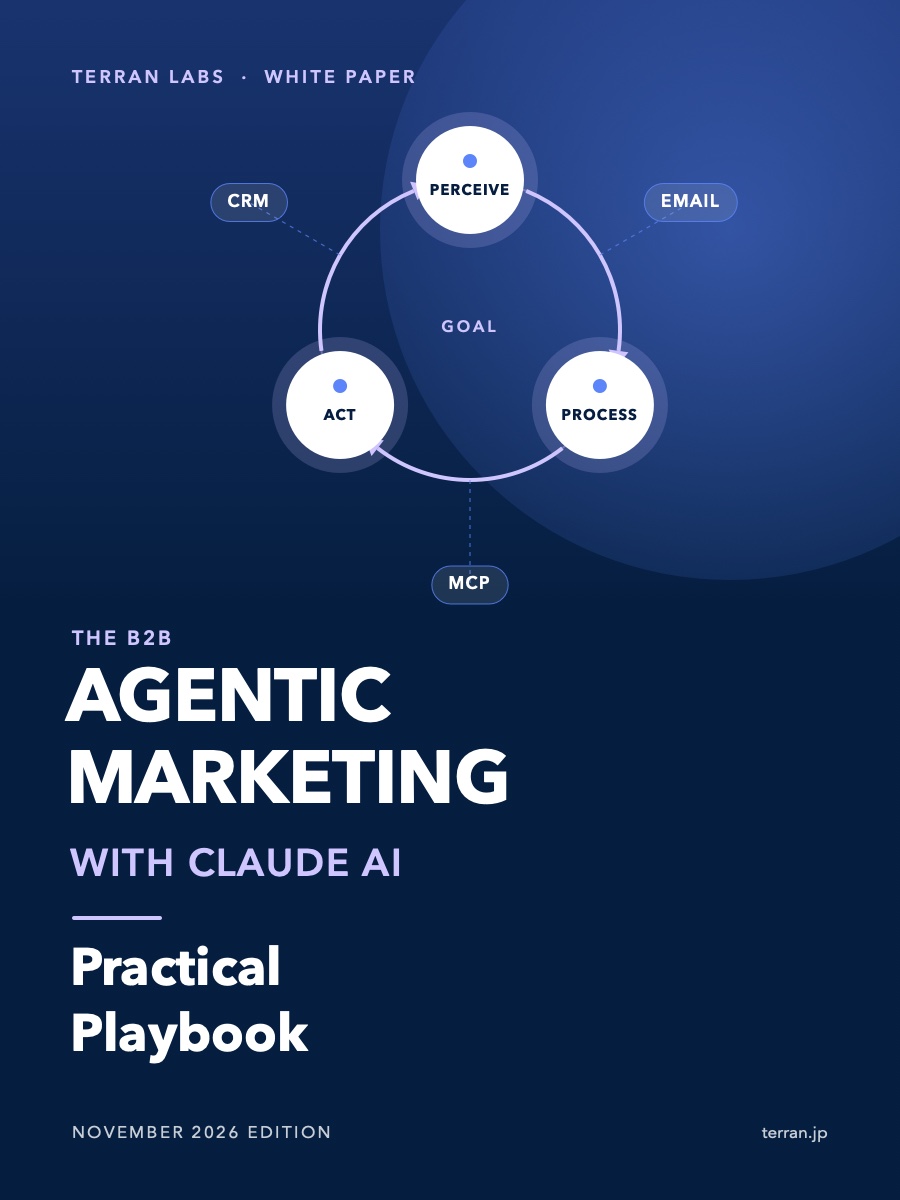
An AI assistant works prompt-in, answer-out, then stops. An AI agent takes an overall goal, breaks it into steps, uses external tools and adjusts to feedback from its environment. Fixed goals suit predictable processes; dynamic goals let the agent reorder sub-priorities to reach the larger goal.
- 1
Perceive
Take in data from systems: a new email, a change in the CRM, a new file.
- 2
Process
Reason and decide the next step.
- 3
Act
Call tools, update tasks, then feed the result into the next loop.
- Make / n8n: visual workflows that connect business apps without writing code.
- A 5-step support email triage: watch the inbox → send the message with Help Center content to the AI → the AI classifies it and drafts a reply → check compliance and tone → a person approves before it is sent.
- Browser agents: find AI marketing trends on the web, extract sources and package them as a draft LinkedIn post.
AI agent
Claude, ChatGPT, Gemini…
Company systems
ERP, CRM, SALD, internal systems
5.5Choosing the right level of automation and practicing responsible AI
- AI retrieves & drafts
- Test decisions in a controlled environment
- Full automation once failure modes are understood
- Fairness & transparency: decisions free of bias, and openness about the use of AI.
- Privacy & security: comply with regulations such as GDPR, minimize data and establish a legal basis for processing personal data.
- Copyright & verification: check every figure against its original source before publishing.
- Human accountability: people keep the final say on every consequential action.
| Focus | Claude tools | How Terran Labs puts it into operation |
|---|---|---|
| Repetitive work | Claude Skills, SKILL.md, skill chaining | AI agent development tailored to the business (FDE) |
| Documents & research | Claude Cowork, Claude in Chrome | BOX CARD digitizes business cards; data flows into SALD |
| Data & decisions | Claude for Excel, VERIFY loop | Data and AI platforms on Google Cloud |
| Sales & outreach | Context-rich prompts, follow-up sequences | SALD; Form Outreach, Campaign Notify, AI Sales meeting-generation RaaS |
| AI agents & integration | AI agents, MCP, Make / n8n | SALD’s MCP server; MCP integration platforms for ERP and CRM |